Phare Uptime
Flexible alerting that always delivers without the noise
Just the right amount of noise, sent to the right place, at the right time, without waking you out of deep sleep.
Made and hosted in the
European Union
Never applied to
Combinator
Average rating
4.8
Product of the day
1 st






Receive smart alerts that works for you
Configure exactly what gets triggered, when, and where, so you can stay informed without feeling attacked.
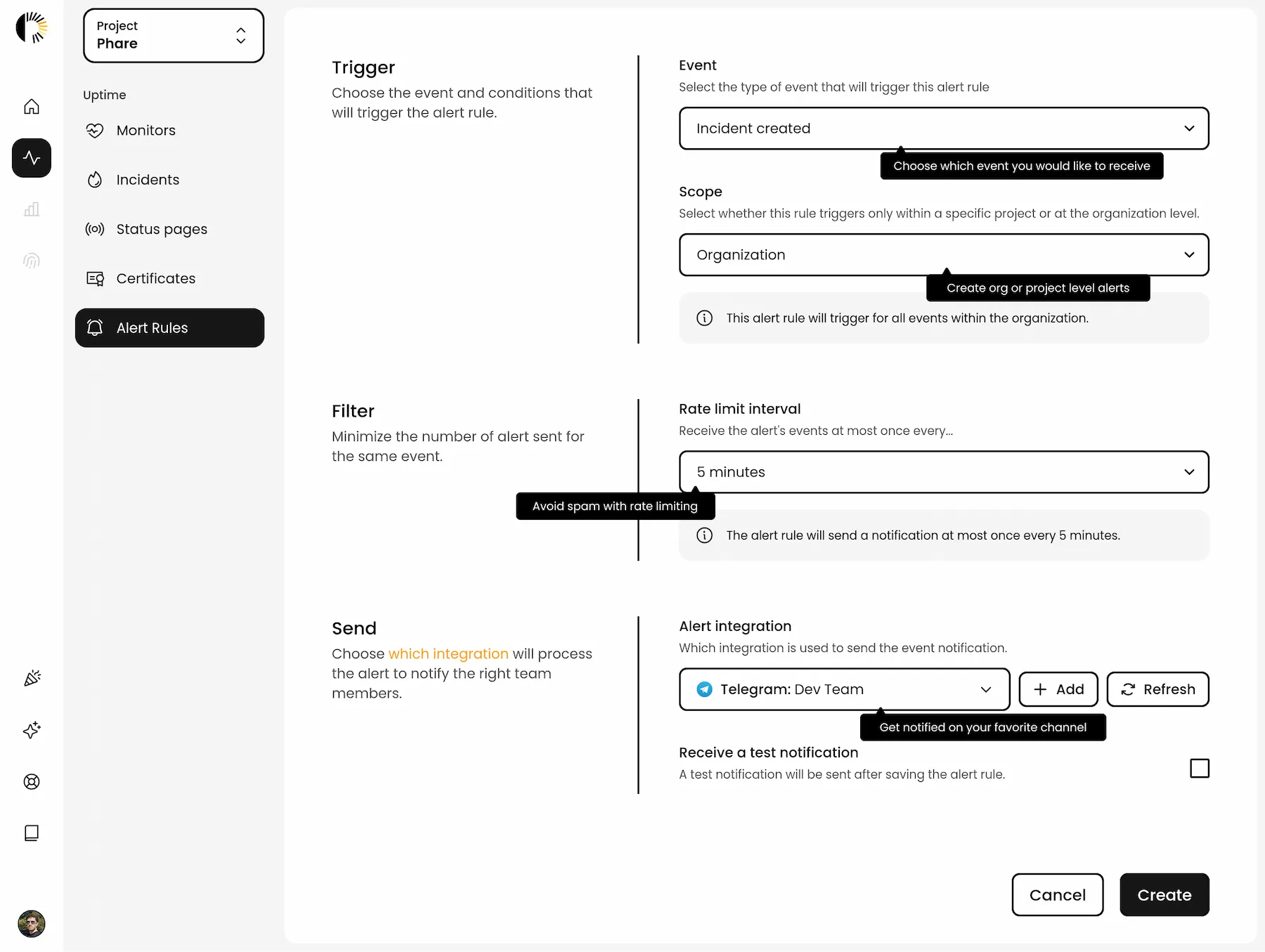
- Discover multi-channel alerting
- Get alerted of incidents by SMS, expiring certificates in Pushover, status page update in Slack. The limit is your imagination.
- Stay calm with rate limits
- Monitoring thousands of endpoints? No problem. Set rate limits to avoid alert fatigue and keep your sanity intact.
- Scope it how you want
- Set alert rules at the org level, project level, or both. Because not all teams care about the same stuff, and that’s okay.
- Notified whatever happens
- All notification channel have an aggressive retry policy, emails are outage resilient with two different SMTP providers.
- Keep track of everything
- Detailed logs for every notification, what triggered it, where it went, and whether it arrived. No mysteries, just receipts.
- Sleep through the boring stuff
- Postpone alerts at night or during quiet hours. You deserve quality sleep. You’ll get woke up when it’s time for panic.
Learn more
Learn more
Learn more
Learn more
Learn more
Still cooking in the lab

“Phare provides a nice and clean UI, actually the best that I have seen for a monitoring tool so far. But you got many more features, like a status page with custom domain, own alert rules and alerting from different regions.”
Adriaan Wind
CTO & Co-Founder, Anny
Industry: Software as a Services
Team size: 10-50
Hold up, there are more features to explore
Would you be interested in website uptime monitoring, incident management, status pages, or maintenance windows?
Monitoring you can rely on
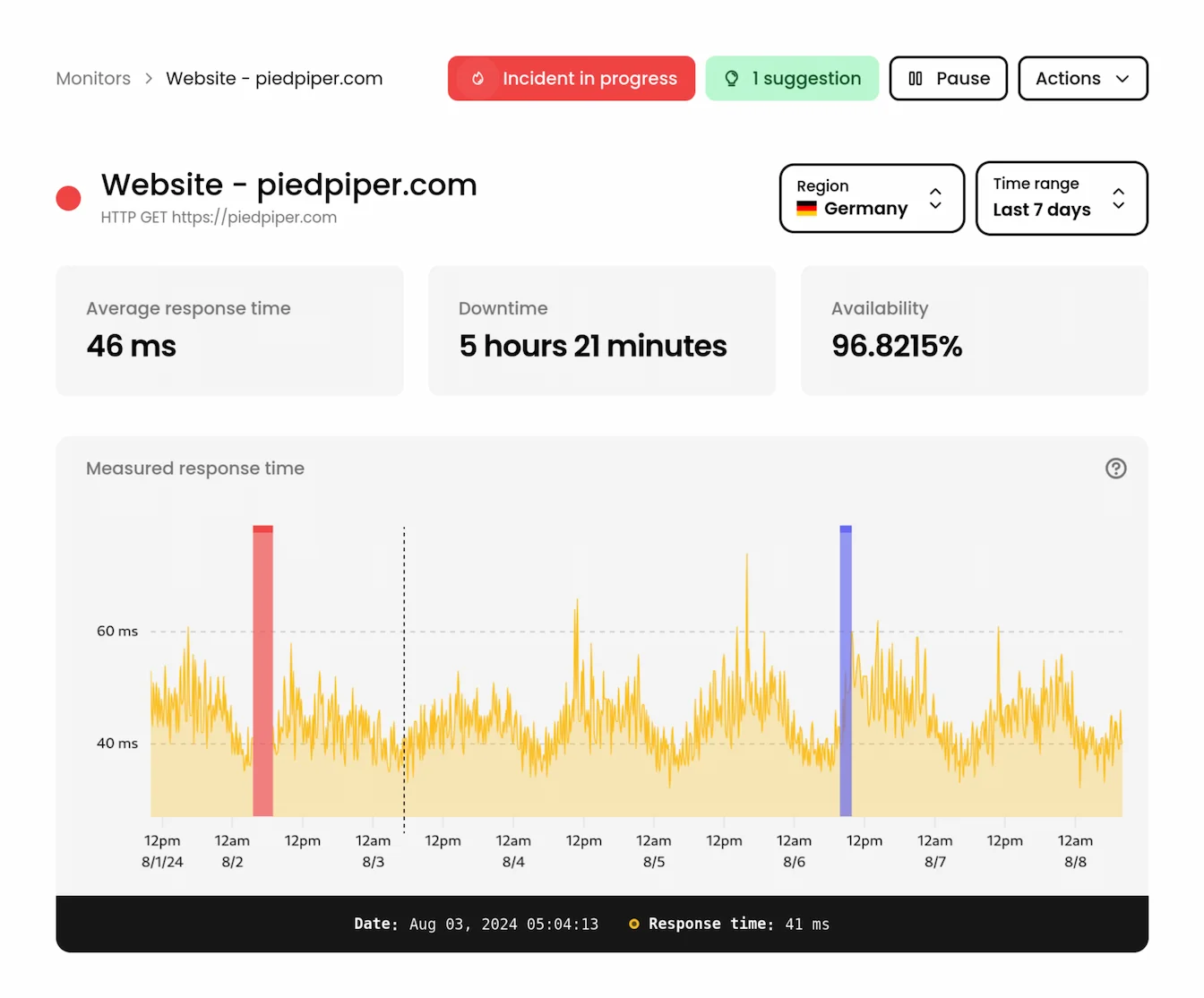
Know the moment your websites or APIs misbehaves. Monitor all your endpoints with precision, from almost anywhere on Earth.
- Monitor HTTP(s) and TCP endpoints, or check server availability with ICMP ping monitoring.
- Choose from 11+ locations in Europe, Asia, America and Oceania.
- Monitor critical resources every 30 seconds and less important ones every hour
- Manage SSL certificates and get alerted on discovery and before expiration
Multi-player incident management
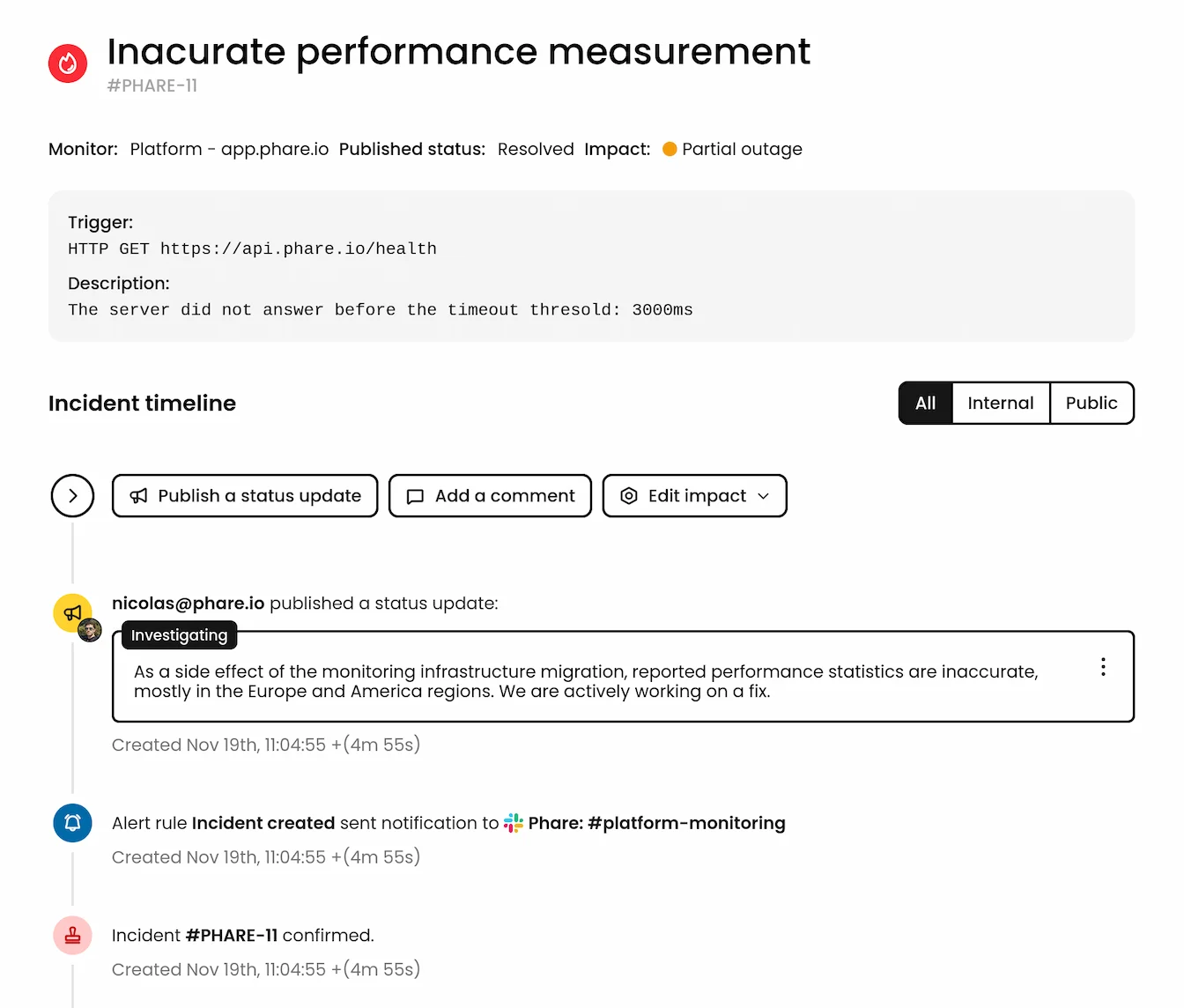
Create, track, and communicate incidents with your team and customers.
- Get automatic incident detection for a wide range of issues with AI summaries and post-mortem.
- Add comments for your pals, and publish incident updates to keep your customers in the loop.
- Keep things tidy with an extensive event timeline of all events, updates, and comments.
Conversational status pages
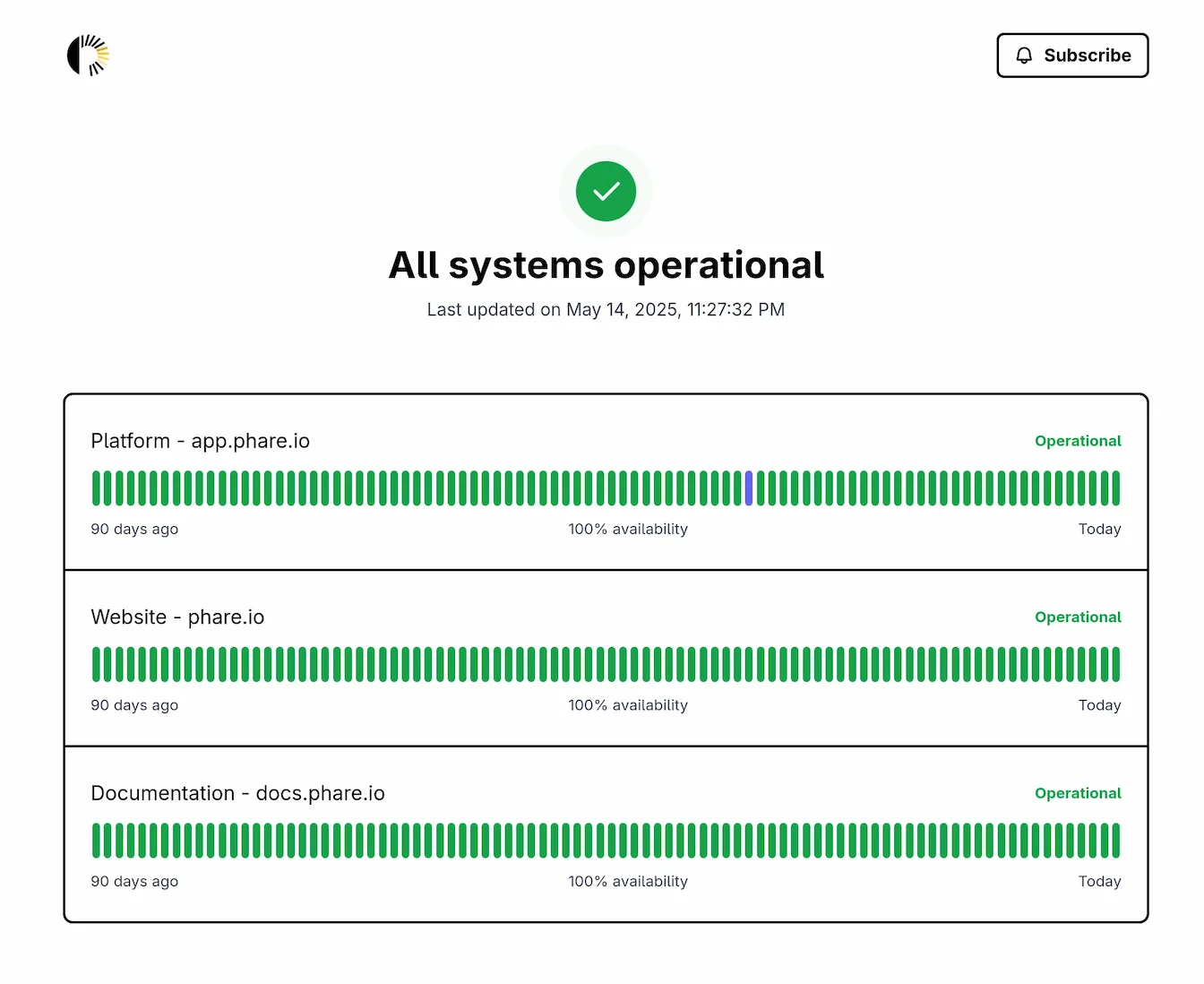
Tell your users what’s up, or down. Share clear, branded updates that make even outages look good.
- Create a branded status page that runs on your own domain, or one provided by Phare.
- Control access to your status page by IP address, token, or password.
- Let users subscribe to real-time update via RSS, Atom and Slack subscriptions.
- Be nice to the planet with the most eco-friendly status page, rated with an A+ perfect score.
Scheduled maintenance windows
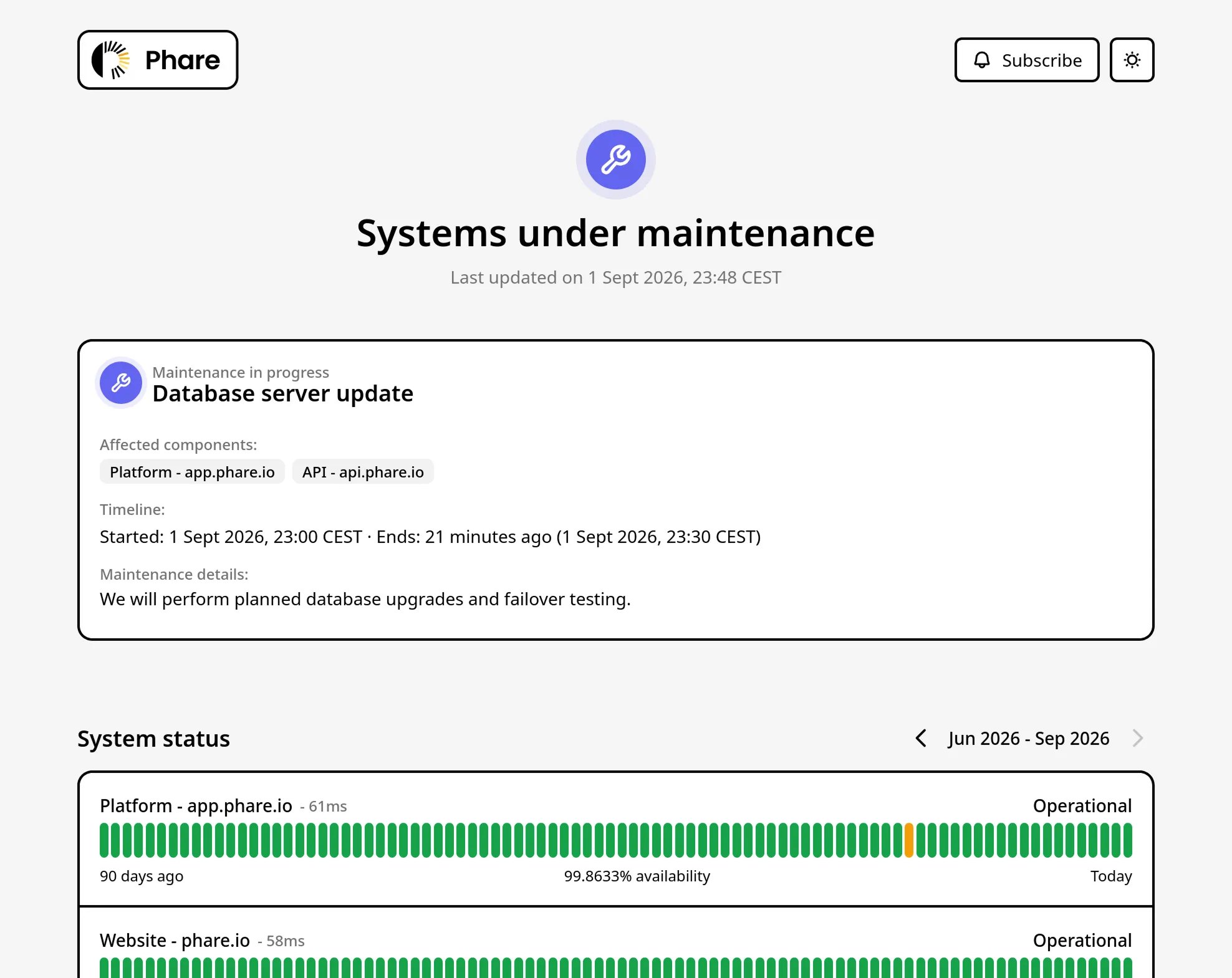
Silence the alarms, keep your SLA clean, and notify your customers before planned downtime begins.
- Pause checks or mute notifications so your team can deploy without alert fatigue.
- Broadcast scheduled maintenance directly onto your public or private status pages.
- Keep your SLA metrics accurate by excluding planned maintenance from downtime reports.

“Phare is a great product that allows us to monitor our applications and services. It is easy to use and has a lot of features that help us keep our systems running smoothly.”
Erik Osterman
Founder & CEO, Cloud Posse
Industry: IT Services
Team size: 10-50
Frequently asked questions
You could not find the answer to your question? Ask support.
-
Which channels can I use to receive alerts?
-
You can receive incident alerts via Email, SMS, Slack, Discord, Telegram, Pushover, ilert, Ntfy.sh, or set up a custom Outgoing Webhook to plug into your unique stack.
-
How do rate limits work for alerts?
-
Rate limiting prevents alert fatigue by capping how many notifications you receive in a specific timeframe. If your entire infrastructure goes down simultaneously, your phone won't turn into a vibrating nightmare, unless this is what you want.
-
Can I customize who receives which alerts?
-
You can scope your alert rules at the organization or the project level. This allows you to route specific alerts to the relevant teams, so the backend team doesn't get woken up for a marketing site typo, and the DevOps team always receives every single notification to keep them in line.
-
Are there limits on the number of alerts I can receive?
-
Phare provides unlimited alerts for almost every notification channel. The only exceptions are SMS and voice calls, which utilize specific quotas detailed in your monitoring plan.
-
What happens if an alert fails to send?
-
Phare has trust issues with the internet, so it employs an aggressive retry policy for notification channels. For example, emails use three different SMTP providers so you get notified even if there's a provider outage.