Privacy-first analytics on the European edge with Vemetric and Bunny.net
How Phare replaced PostHog with Vemetric and Bunny.net Edge Scripts to get lightweight product analytics, keep all data in Europe, and focus on organization-level metrics.

When I started building Phare in early 2022, I chose PostHog for analytics. They had a generous free tier, supported EU data residency, and seemed like a solid platform that Phare could grow into overtime.
Turns out, PostHog grew way faster than Phare did, and I was starting to feel lost when searching for the data I cared about. I could probably have made it work with a simple dashboard customized to show basic stats, but I'm lazy and never cared enough about analytics to spend more time than absolutely necessary on it.
At the same time, I've been actively working to eliminate non-European third-party services (not just non-EU hosted ones) from Phare's infrastructure, while supporting fellow indie developers whenever possible.
Enter Vemetric. I've been following its development closely for the past year or so. It's built by Dominik Sumer, a fellow solo developer based in Austria. Both our companies were at similar growth stages, and it felt like the perfect fit for Phare's analytics needs.
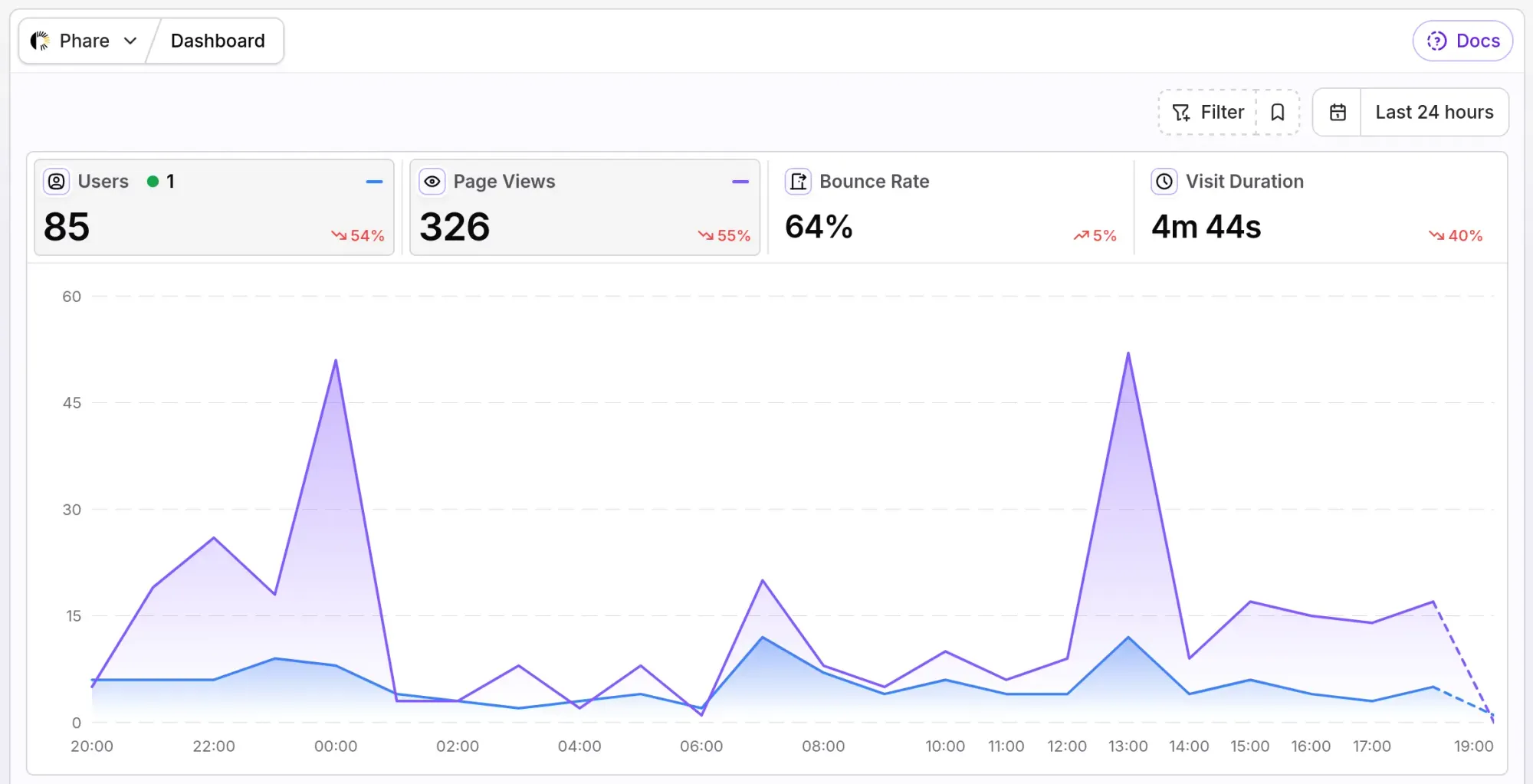
It normally takes 5 minutes to set up, but because I like to spend too much time on everything I implement on Phare, I routed traffic through a custom Bunny.net pull zone to allow a few more features that I will describe in this post.
Organizations over individuals
Phare has always been pretty big on privacy, all you need is an email address to get started, and I never collect any data that isn't absolutely necessary. Analytics should reflect that. For the Vemetric integration, I opted to use organization IDs instead of individual user IDs.
For a B2B developer tool like Phare, tracking individual people isn't that useful: the platform is built around Organizations. I don't care if Gunter created an uptime monitor on Tuesday, I only care that every organization is using all Phare features with minimal frustration.
Because I also don't care about tracking individual organizations, I opted to hash the organization ID with HMAC-SHA256 using a server-side secret salt.
// Anonymize the organization ID before it ever touches analytics
$identifier = hash_hmac('sha256', (string) $user->organization_id, 'secret_salt');

// => a3f8c12e98fc1c149afbf4c8996fb92427ae41e4649b934ca495991b7852b855
Good idea on paper, but it was a nightmare in the Vemetric dashboard. Good thing Dominik implemented a display name option so I could easily truncate the identifier to make it easier to digest.
$displayName = substr($identifier, 0, 12);

// => a3f8c12e98fc
That's the only tracking data sent to Vemetric, no email, no names, no user IDs.
If an engineer leaves the company, joins another team, or invites new teammates, nothing personal is cross-referenced. The analytics dashboard reflects actual account retention and product usage without storing any personal data.
Preventing third-party IP leakage
That took care of not sending user data, but when users load the analytics script, it automatically sends their IP address (PII) to Vemetric, which isn't acceptable. For this, I could reuse the same technique I previously implemented for PostHog by using a Bunny.net pull zone as a reverse proxy to anonymize the IPs.
I created a dedicated vem.phare.io pull zone, managed via Terraform:
resource "bunnynet_pullzone" "vem" {
  name = "phare-vem"

  strip_cookies = true

  originshield_enabled = true
  originshield_zone    = "FR"

  # There's plenty more configuration options available, I stripped down to the essentials

  origin {
    type                = "OriginUrl"
    url                 = "https://hub.vemetric.com:443"
    forward_host_header = false
    host_header         = "hub.vemetric.com"
    verify_ssl          = true
    middleware_script   = bunnynet_compute_script.vem_middleware.id
  }

  routing {
    tier              = "Standard"
    filters           = ["scripting", "eu"]
    zones             = ["EU"]
  }
}
There's a few important details in this configuration:
strip_cookies = trueBunny strips all cookies before forwarding the request to the upstream server. Even if a browser sends cookies for.phare.io, Vemetric never receives them. Zero session leakage.filters = ["eu"]Ensures only servers based in the EU can process the request.originshield_zone = "FR"Add a second caching layer in France, improving delivery time of the analytics script.middleware_script = bunnynet_compute_script.vem_middleware.idthis activates the edge script that will scrub the IP address before forwarding the request to Vemetric.
Now for the IP anonymization, it all happens in a Bunny Edge Script Middleware attached to the pull zone. It intercepts incoming requests directly on Bunny's edge and scrubs the IP address before forwarding the packet to Vemetric:
import * as BunnySDK from "npm:@bunny.net/edgescript-sdk@0.12.1";

function anonymizeIp(ip) {
    // IPv4: Zero out the last octet (/24) -> 192.168.1.123 becomes 192.168.1.0
    if (isIPv4(ip)) {
        return ip.replace(/\.\d+$/, ".0");
    }

    // IPv6: Truncate to /64 prefix -> 2001:db8:85a3:8d3:... becomes 2001:db8:85a3:8d3::
    if (isIPv6(ip)) {
        return truncateToFirstFourHextets(ip);
    }

    return ip;
}

async function onOriginRequest(context) {
    const request = context.request;
    const clientIp = request.headers.get("x-forwarded-for") || request.headers.get("x-real-ip");

    if (clientIp) {
        const anonymized = anonymizeIp(clientIp);

        request.headers.set("X-Forwarded-For", anonymized);
        request.headers.set("X-Real-IP", anonymized);
        request.headers.delete("CF-Connecting-IP");
    }
}

BunnySDK.net.http.servePullZone()
    .onOriginRequest(onOriginRequest);
By zeroing the last octet for IPv4 (/24) and truncating IPv6 to /64 right at the CDN edge, country and city-level geolocation metrics remain accurate in the dashboard, and it becomes impossible to identify an individual user from their IP address alone. And because this transformation happens at the edge before proxying, Vemetric's origin servers never see raw client IPs, not even in memory.
Preventing token and ID leaks with URL masking
Another easy way to accidentally leak private data is through dynamic URLs. If someone visits /uptime/monitors/9482/edit or clicks an email confirmation link like /accept-invite/sec_token_99x81, naive pageview tracking will dump internal IDs and sensitive tokens straight into your analytics database.
Not only is that a privacy issue, it also floods the analytics dashboard with thousands of unique URLs, rendering it completely useless. Vemetric already has a feature in place for this called mask paths. I only needed to provide a list of URLs when initializing the tracking script:
private static array $maskPaths = [
    '/uptime/monitors/*',
    '/uptime/incidents/*',
    '/accept-invite/*',
    '/reset-password/*',
];
The script normalizes matched patterns before dispatching the pageview, recording /uptime/monitors/* instead of /uptime/monitors/9482.
Server-side event tracking
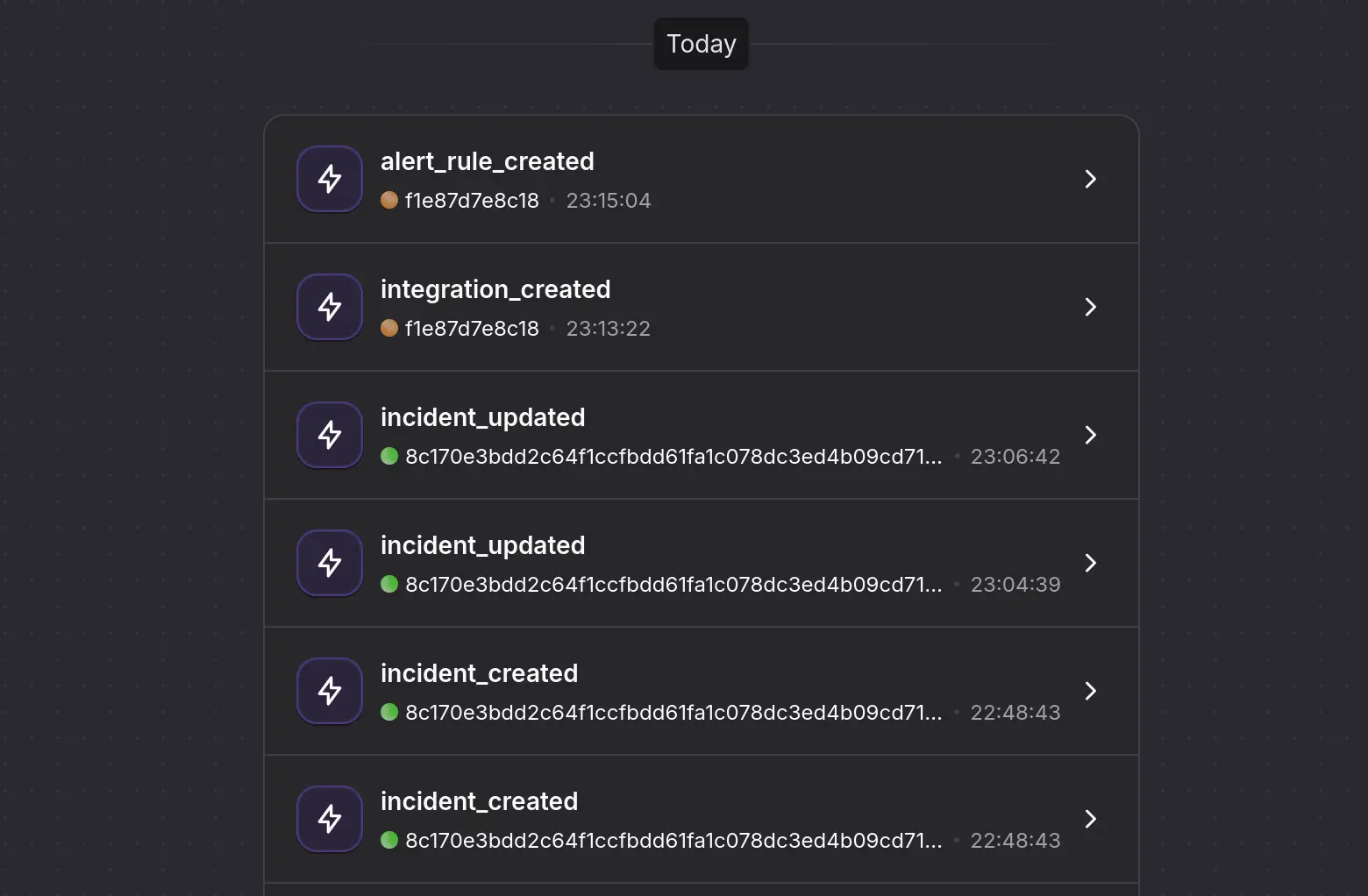
While the frontend script on `vem.phare.io` handles pageviews, I wanted to get some insight on usage patterns and configure funnels for critical product milestones. Whenever a new monitor is created in an organization, an incident is resolved, or a status page is published, Phare now dispatches a queued job sending the event data to Vemetric. Events are based on the same HMAC organization hash as the frontend script, making it easy to track events from users and API requests without any additional attribution work.
Conclusion
Replacing a heavy analytics suite with a lightweight, European-hosted stack was one of the best decisions I've made for Phare this year. I'm super happy with the dashboard and don't care that I can't customize it, everything I need is already shown.
I would still recommend PostHog for larger teams running complex multivariate funnels all day. It's an incredible product, but not the one I needed. With the switch, Phare also reclaimed about 200 KB of JavaScript, which is always welcome.
The choice aligns well with my values and goals for Phare, and I'm feeling extremely happy with the result. I will migrate other non-European third-party tools before the end of the year, so stay tuned.